Bitacad tracks the time you actually work on each part, separates idle time and tells you what that time is worth. No stopwatches, no spreadsheets: you design as usual and Bitacad keeps the log.
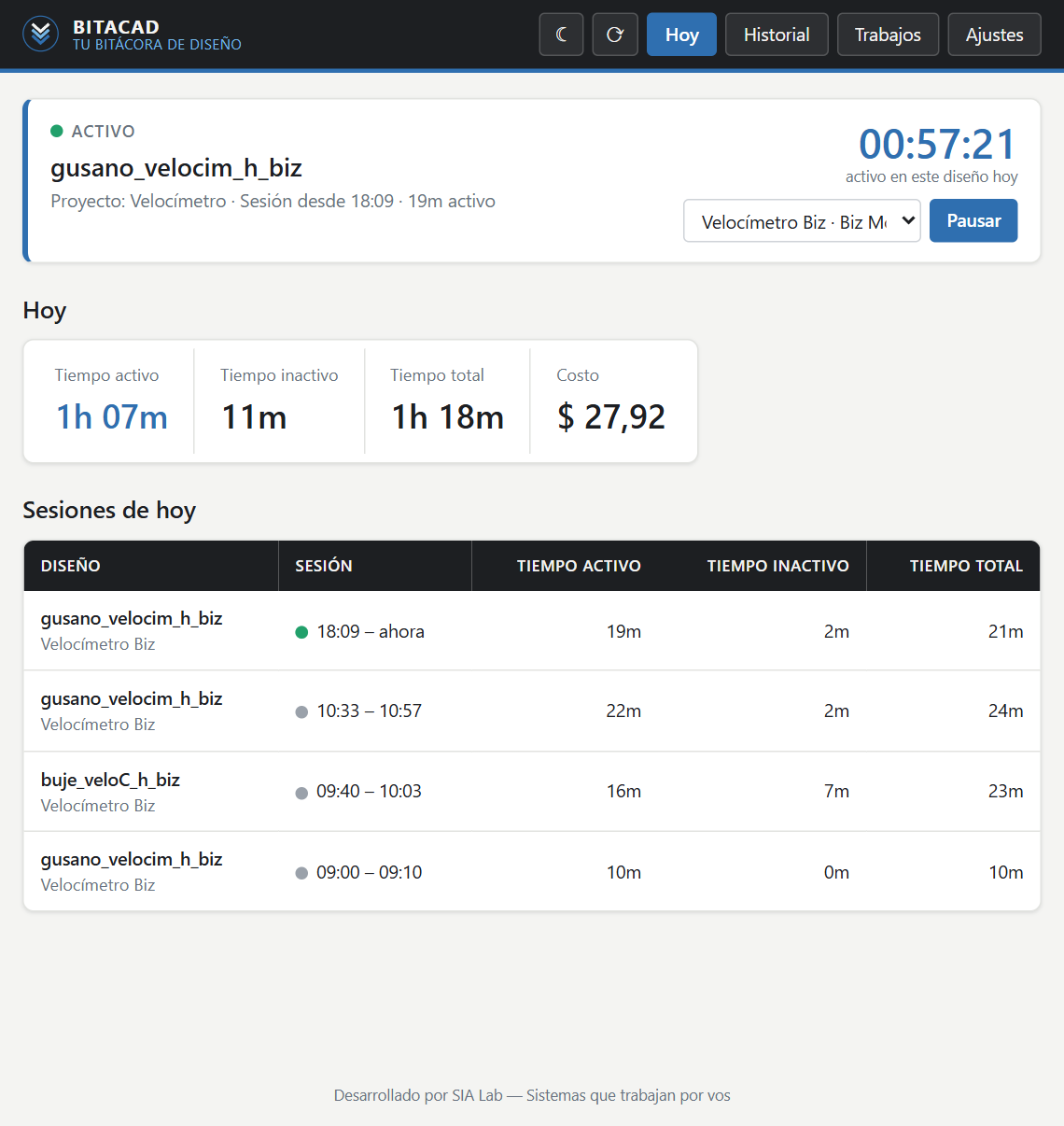
Bitacad works in the background while you design. No need to remember to start or stop a timer.
Download, follow the illustrated guide and you're done. No coding skills needed.
Bitacad detects which part is open and when you're working. Grab a coffee and it notices — that time isn't counted.
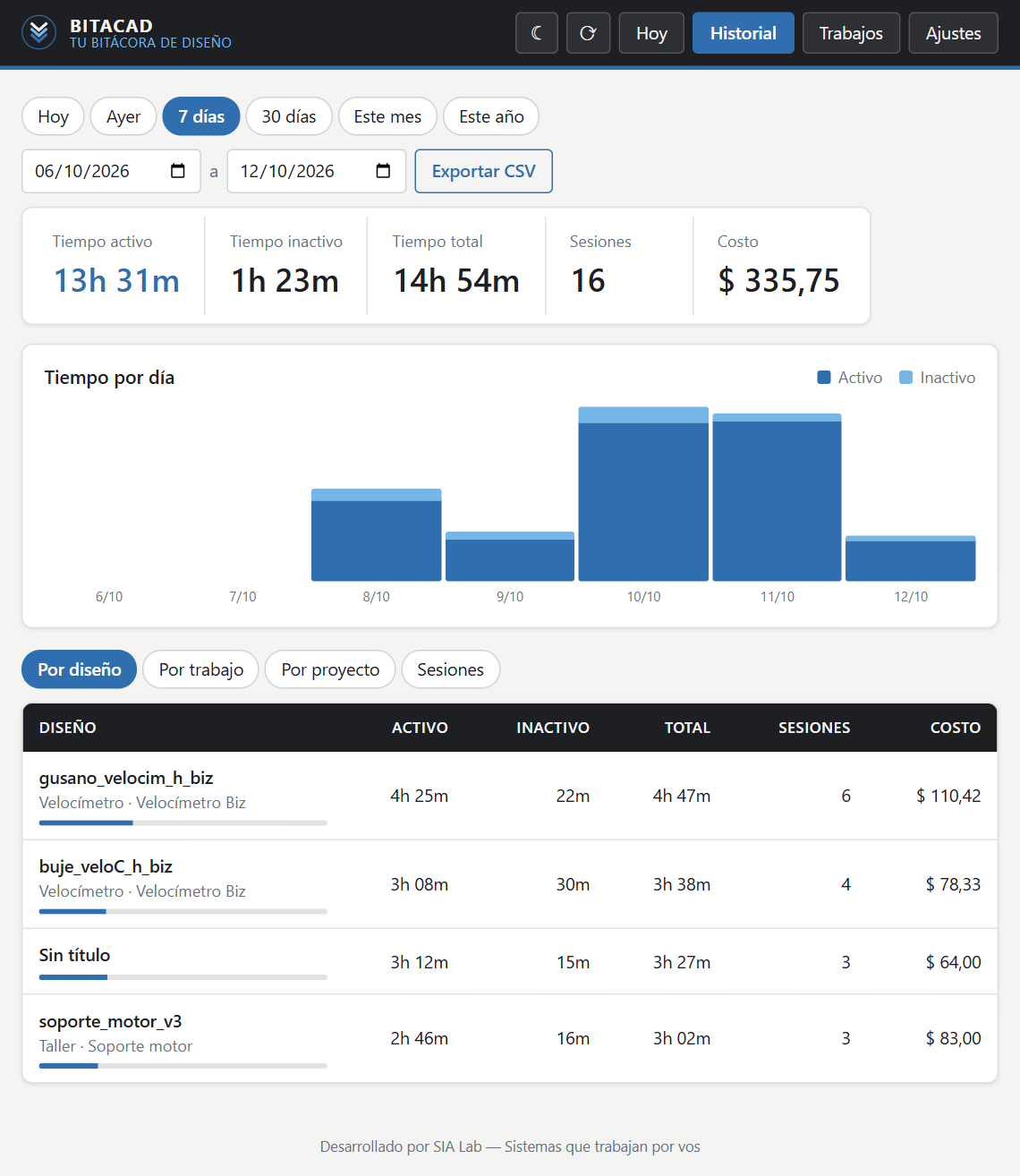
Check the time for every design, job and client, with its cost based on your hourly rate. Export to Excel whenever you want.
The app interface is currently in Spanish; an English version is on the way.
Stop guessing how long a job took. With real data, your quotes get accurate.
Starts on its own with Fusion or SOLIDWORKS and logs every work session per design.
No keyboard or mouse activity for a few minutes? That time becomes idle and isn't billed.
Set a default rate or one per client, and Bitacad calculates what every design is worth.
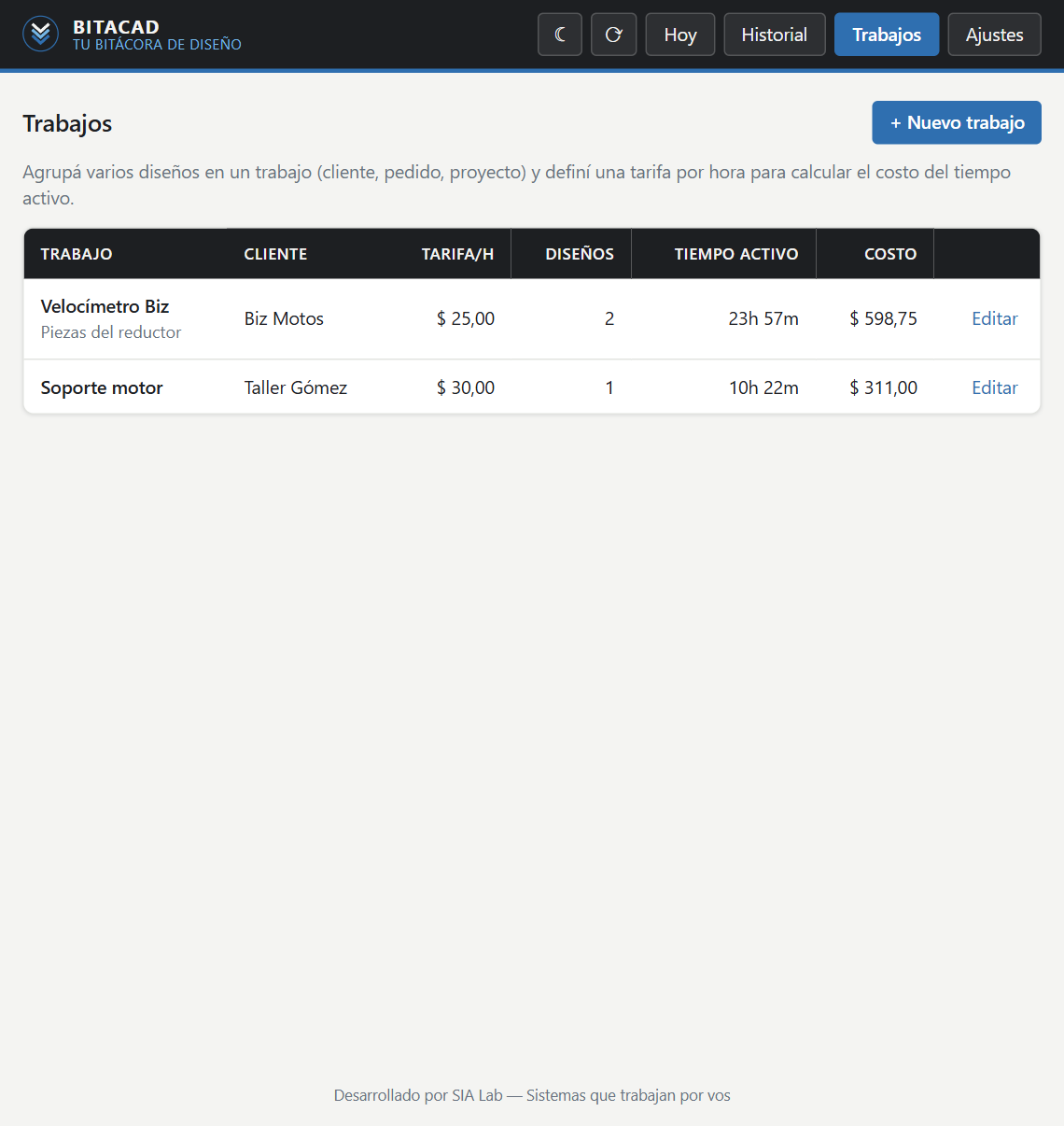
Group several parts into a job and see the total time and cost of the order.
Today, this week, month or year: time per day, design, project and session.
Everything is stored on your computer. None of your work is uploaded. Export to Excel in one click.


One license covers both versions on up to 2 computers. If you use both programs, all your time ends up in one place.
Runs as a Fusion add-in.
A lightweight app that runs next to SOLIDWORKS.
Try it free for 14 days — no payment, no card. If it works for you, pick a plan.
Prices in US dollars. Secure card payment through Lemon Squeezy, which may add your local taxes.
After purchase you get your license key by email: paste it into Bitacad and you're done.
It checks whether Fusion or SOLIDWORKS is in the foreground and whether you're using the keyboard or mouse. After a few minutes without activity (3 by default, configurable), that time counts as idle and isn't billed. If you're away for more than 30 minutes, the session closes on its own.
No. Bitacad stores everything on your computer. It only goes online now and then to verify your license, sending just the key and the computer name.
The Fusion version works on Windows and Mac. The SOLIDWORKS version is Windows-only, like SOLIDWORKS itself.
Yes, each license can be activated on up to 2 PCs — say, your workshop and your home computer. If you switch computers, release the license from Settings and activate it on the new one.
Bitacad locks until you activate a license. Your history is not deleted: it stays on your PC and comes back as soon as you activate or renew.
No. One license covers both versions, and if you use both programs your time goes into the same history.
Use the link in your purchase email, or write to soporte@bitacad.app. There's no minimum commitment.
You can try Bitacad free for 14 days before paying. If you still run into a problem after buying, write to us. See the refund policy.